




Mix prep and stems, handled.
Yours forever.
Mix prep, routing and stem export, automated exclusively in Logic Pro. One purchase, no subscription, yours forever.
- Logic Pro 11.1+macOS 11+
- Free 7-day trial
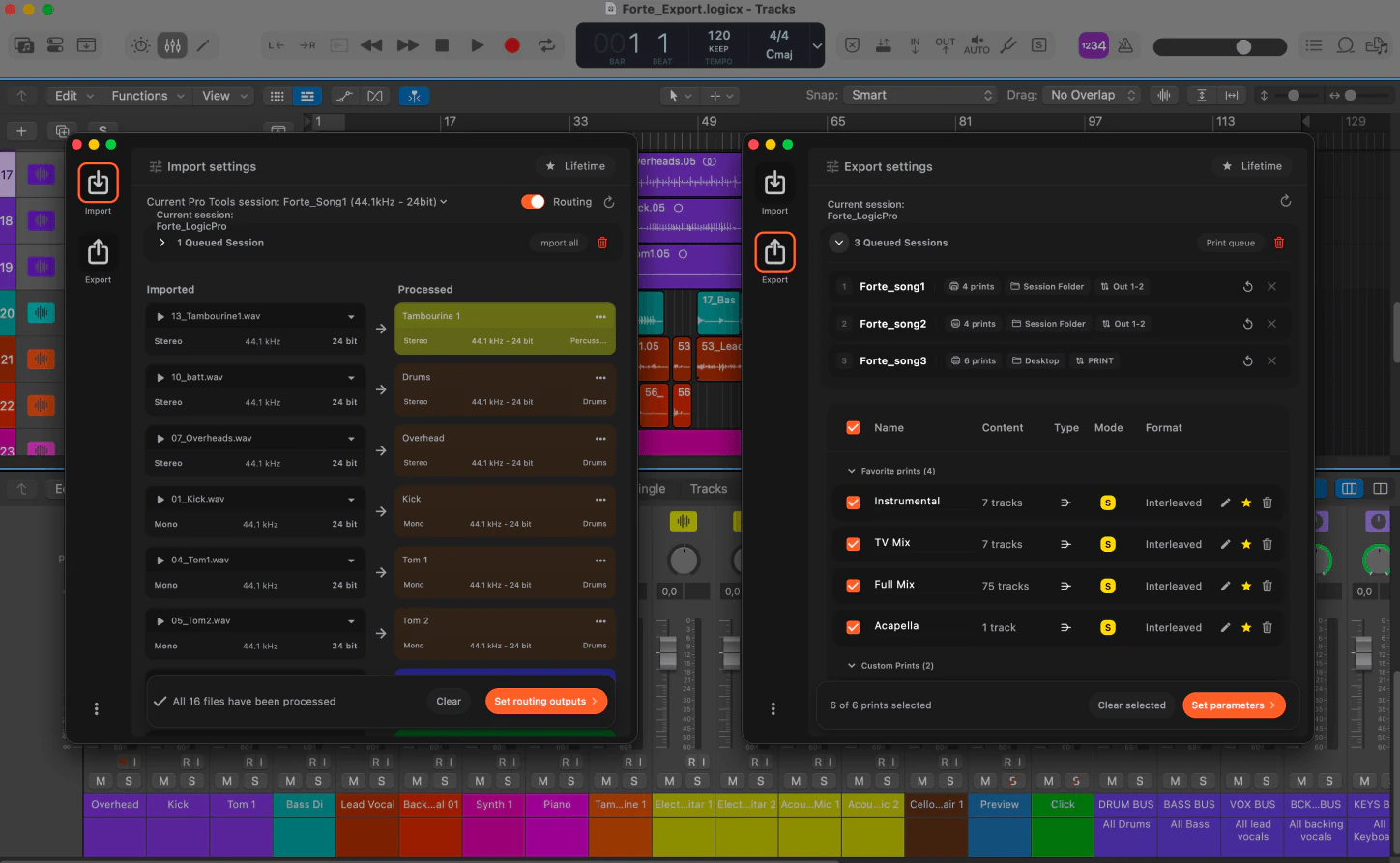
Trusted by









How it works
Import. Export. Batch the lot.
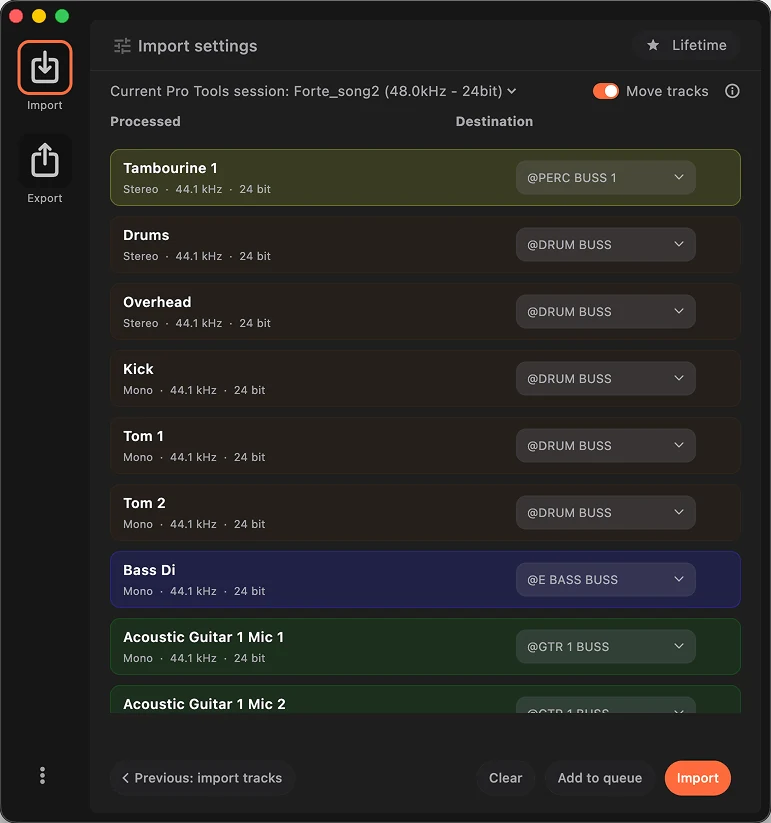
Import module
Mix prep, done on arrival.
From a folder of files to a mix-ready Logic session: organized by instrument, routed and named to your template.
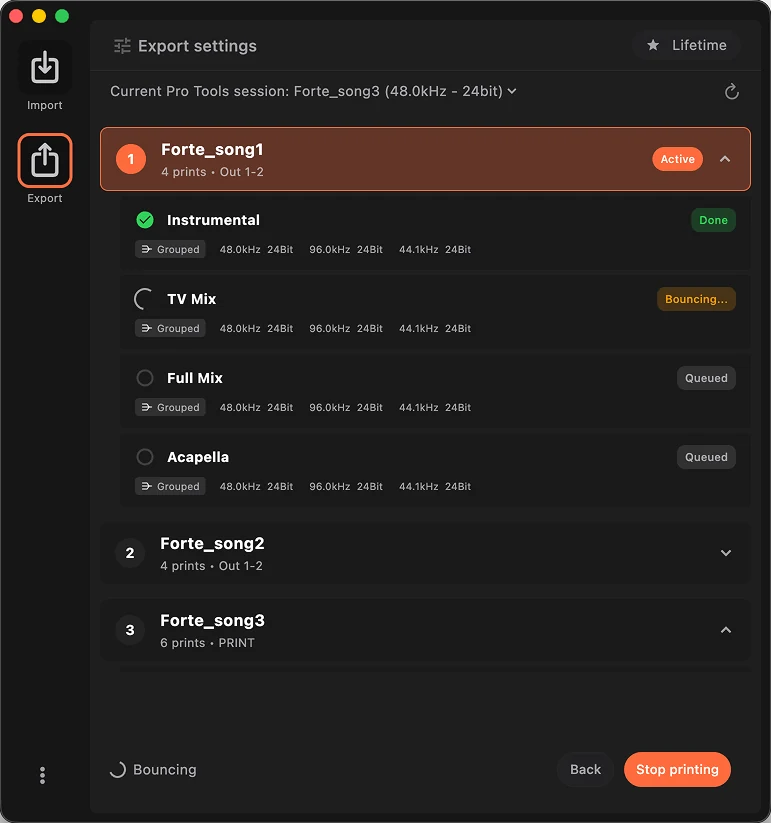
Export module
Bounces run themselves.
Fire your prints from inside Logic Pro and batch them across sessions: stems and alt mixes, to your template.
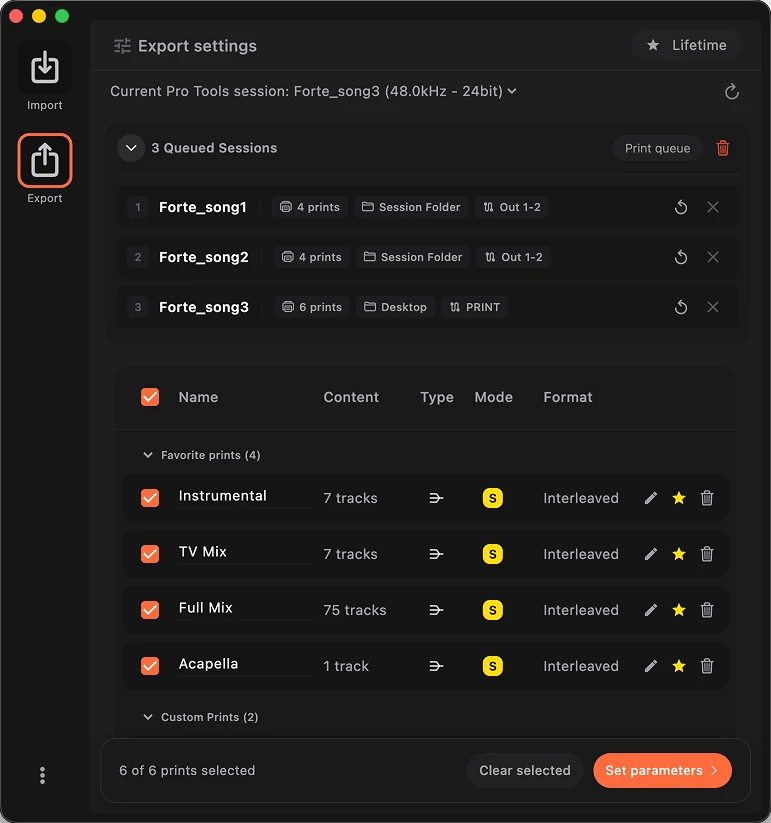
Multi-session batch
Queue the whole album.
Both modules run in batch: fMusic opens, processes and closes every session in sequence, overnight included. No supervision needed.
The engineers already moved.
“Even with complex custom-coded automation, I still struggled in the studio. With Forte that burden is gone. Priceless.”
 Ricky DamianMix engineer · Mark Ronson, Lady Gaga, Jorja Smith
“Check for mono files as stereo, import them, move tracks around, color code, strip silence. Forte makes all of it quicker so you get to the good bit faster.”
 Cameron CraigMix engineer · Adele, Björk, Amy Winehouse
“I've tried every solution for bouncing stems, and so much about Forte just clicks. The mix prep system is exactly what I've wanted for years.”
 Robbie ArtressMix engineer · Teddy Swims, Maren Morris, Billy Strings
“Forte has changed everything for me when it comes to mix prep. I can't recommend it enough.”
 Emre RamazanogluProducer · David Bowie, Brian Eno, David Holmes
“The prep that used to eat my mornings just happens now. I open the session and it is already done.”
 Oli JacobsMix engineer · Kendrick Lamar, Sabrina Carpenter, Harry Styles
Prep on the way in. Stems on the way out.
fMusic for Logic Pro covers both ends: mix prep on import, stems and alternate mixes on delivery, naming and batch in between.
Stem Export
Every stem set and alternate mix printed to your template, in the background. Custom and favorite prints fire with a shortcut from inside Logic Pro, on one session or the whole album in batch. The work that used to eat your evenings just runs.
- Logic Pro 11.1+
- macOS 11+
Mix Prep
Sessions cleaned, routed and named to your template before you start. Open and mix.
35k+
stems and bounces printed, last 12 months
Mix template integration
fMusic integrates with the mix template you already have: routing, naming, categories. No new structure to adopt, no workflow to change.
Runs in background
Printing does not block the session. Keep editing, keep mixing, fMusic keeps bouncing.
Learn once. Match every record.
Teach fMusic your delivery template a single time. From then on every project prints stems, alts and naming to match it.
- Stem sets
- Alt mixes
- Naming
- Backup
What fMusic actually does, all day.
25,000+
sessions imported and organized
35,000+
stem and bounce exports delivered
30,000+hrs
of manual prep handed back
190a day
imports and exports at the current rate
Measured in fMusic over the last 12 months, as of July 2026. Hours saved is an estimate: 30 minutes of manual work per import and per export.
Built for producers, engineers and studios
Mixing engineers, producers, studios and composers run fMusic where the deliverables pile up.

Mixing
Mixing engineers
Stems and alt mixes print to your template while you mix the next song.

Production
Music producers
Every version, every alt, every TV mix named and organized automatically. Send links, not apologies.

Studios
Recording studios
Two seats per license and one template for the whole facility.

Scoring
Composers
Cue after cue, stems land structured the same way. Music editors stop asking and start importing.
Pricing
One price. Yours forever.
Start with the free 7-day trial. No credit card needed. Then one purchase covers it all: no subscription, no renewals.
Free 7-day trial included
€249one-time
yours forever, no subscription
The Logic Pro edition of fMusic. One purchase.
- Built for Logic Pro
- 2 seats
- Import module: mix prep to your template
- Export module: stems, prints and alt mixes
- Multi-session batch processing
- All features included
Students and educators: apply for an educational deal
Frequently asked questions
Have a question about fMusic for Logic Pro? These are the ones we hear most. If yours is missing, get in touch.
What does fMusic for Logic Pro do and how does it work?
fMusic for Logic Pro automates stem and deliverable export exclusively in Logic Pro. You point it at your audio files; it imports them into an open session (your template, a new session, or any session you have open) and prints your deliverables using Logic Pro’s own bounce engine, with routing, naming and channel width matched to your setup.
What does fMusic for Logic Pro include, and how much does it cost?
The complete fMusic workflow for Logic Pro: import and mix prep to your template, routing and naming, stem export through Logic Pro’s own bounce engine, background bounces and multi-session batch. It is a one-time purchase of EUR 249 with 2 seats, yours forever, no subscription.
Can fMusic for Logic Pro bounce while I keep working?
Yes. fMusic for Logic Pro runs the export in the background using Logic Pro’s bounce functions, so you are not stuck waiting on a blocking bounce. It prints each file to your routing, naming and width automatically.
Can it batch-export multiple sessions unattended, overnight?
Yes. fMusic for Logic Pro queues multiple sessions and processes them unattended, opening and closing each one with no manual restarts or dialogs to babysit, so you can leave a batch running overnight.
Does fMusic for Logic Pro preserve mono and stereo width?
Yes. It exports each file at the channel width set in your session, so mono stays mono and stereo stays stereo, and you do not collapse width or pad mono files to dual-mono by hand. Width follows your setup.
Which file formats, bit depths and sample rates can it export?
fMusic for Logic Pro exports WAV and AIFF at 16, 24 or 32-bit, and MP3 at 128, 192 or 320 kbps. Sample rates range from 44.1 kHz up to 192 kHz (44.1, 48, 88.2, 96, 176.4 and 192). You choose the format and quality per delivery.
Will it keep my reverb and delay tails on export?
fMusic for Logic Pro uses Logic Pro’s own bounce functions and does not add or cut tails arbitrarily, so you configure your exports as usual and tails print exactly as you set them.
Can it name and organize files to match my own convention?
Yes. fMusic for Logic Pro follows the naming convention you already use rather than imposing a fixed scheme, so batch exports come out correctly named and organized.
Does fMusic for Logic Pro support surround or Dolby Atmos?
Not currently. fMusic for Logic Pro exports mono and stereo deliverables; immersive formats such as Dolby Atmos and ADM BWF are not supported.
Does it apply loudness normalization or LUFS targets?
No. fMusic for Logic Pro does not apply loudness normalization or target streaming LUFS levels such as -14 LUFS. It prints your mix exactly as you set it, automating the routing, naming, width and bounce, so your loudness decisions stay in your hands.
Does it upload my audio, and how many machines does a license cover?
fMusic for Logic Pro runs entirely on your Mac, so nothing is uploaded, and it only contacts the internet at sign-in to verify your license. One license covers 2 seats, so you can run it on two machines such as a studio rig and a laptop.
What are the system requirements, and is there a free trial?
fMusic for Logic Pro runs on Logic Pro 11.1 or later on macOS 11 or later, with a single installer for Apple Silicon and Intel. It offers a 7-day free trial with no credit card that starts at your first sign-in and expires on its own.
What is the difference between fMusic for Logic Pro and fMusic Studio?
fMusic Studio and Suite are the fMusic products for Pro Tools, sold in two tiers as a subscription or as a Lifetime license. fMusic for Logic Pro covers the fMusic workflow in Logic Pro as a single one-time purchase. They are separate products with separate licenses; the fMusic page covers the Pro Tools side.
Try fMusic for Logic Pro now.
- Logic Pro 11.1+macOS 11+