

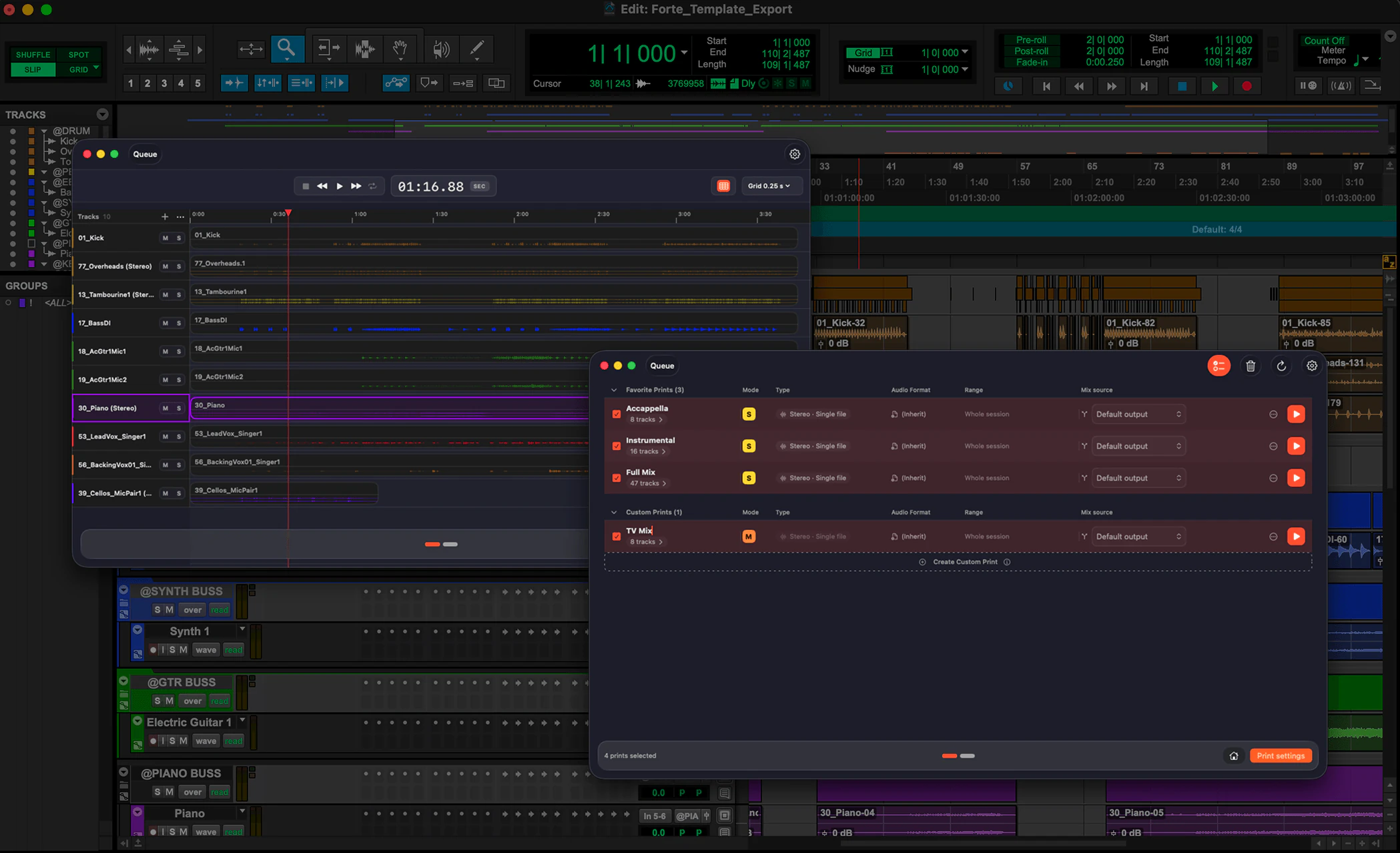
Sessions prepped.
Stems printed.
fMusic handles mix prep, organization and stem export automatically in Pro Tools, so you can focus on what needs your ears. Free 7-day trial.
- Pro Tools 2024.3+macOS 13.5+
- Free 7-day trial
Use Logic Pro? fMusic for Logic Pro
Trusted by









How it works
Import. Organize. Export. Batch the lot.
Import module
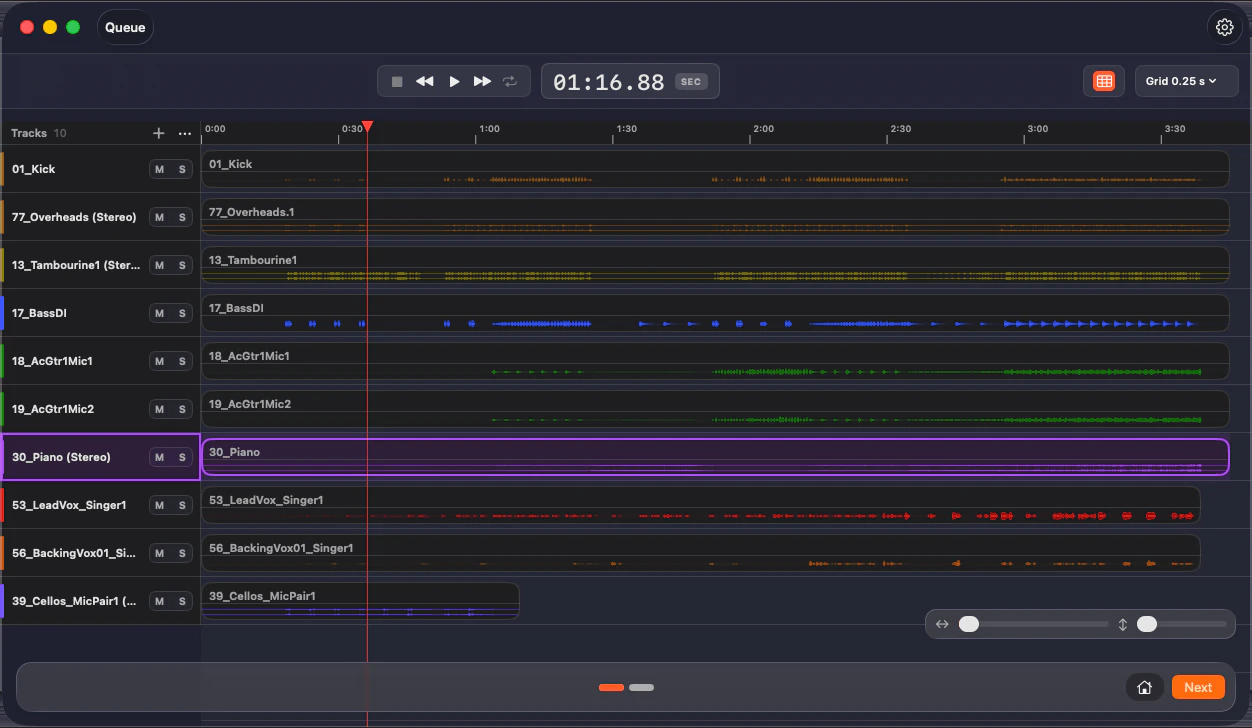
Mix prep, done on arrival.
From a folder of files to a mix-ready session: every track recognized on-device, named and routed to your template.
Organize module
Any PTX, reorganized.
Open any PTX and fMusic reorganizes it to your standard: every track recognized, renamed, recolored, re-routed and reordered.
Export module
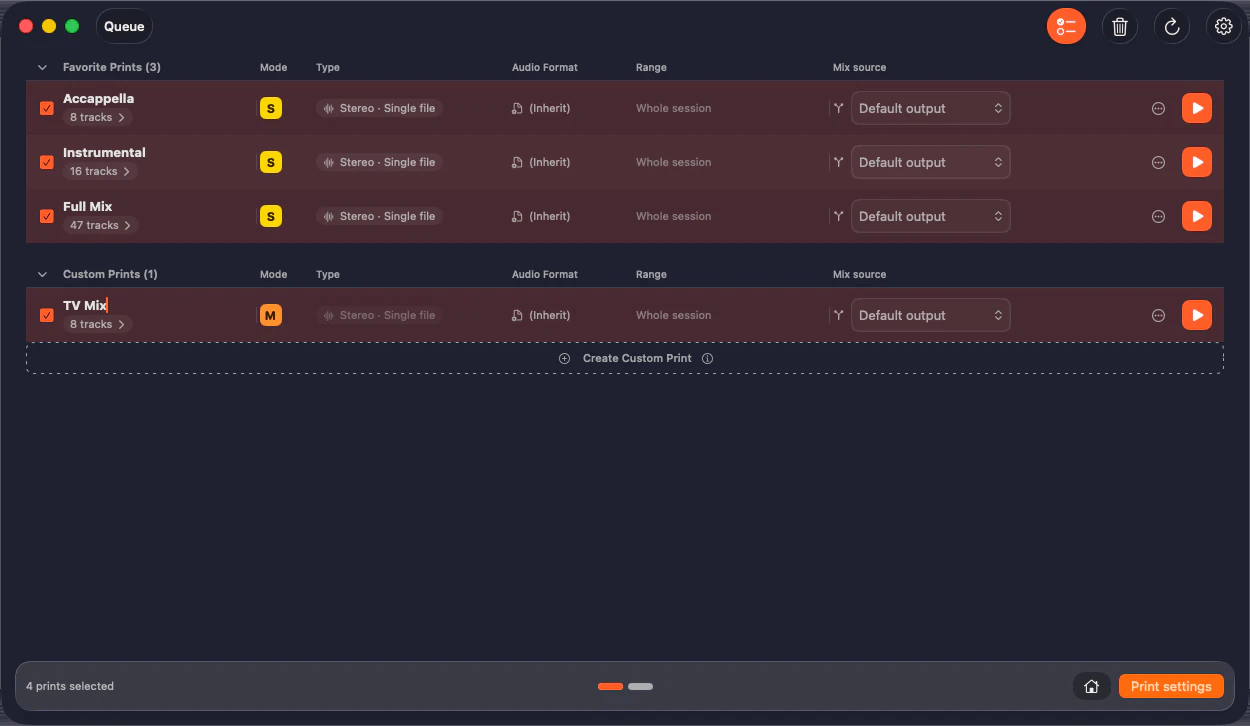
Bounces run themselves.
Define your prints once and batch them across sessions. Stems and alt mixes land to your naming, mono and stereo handled.
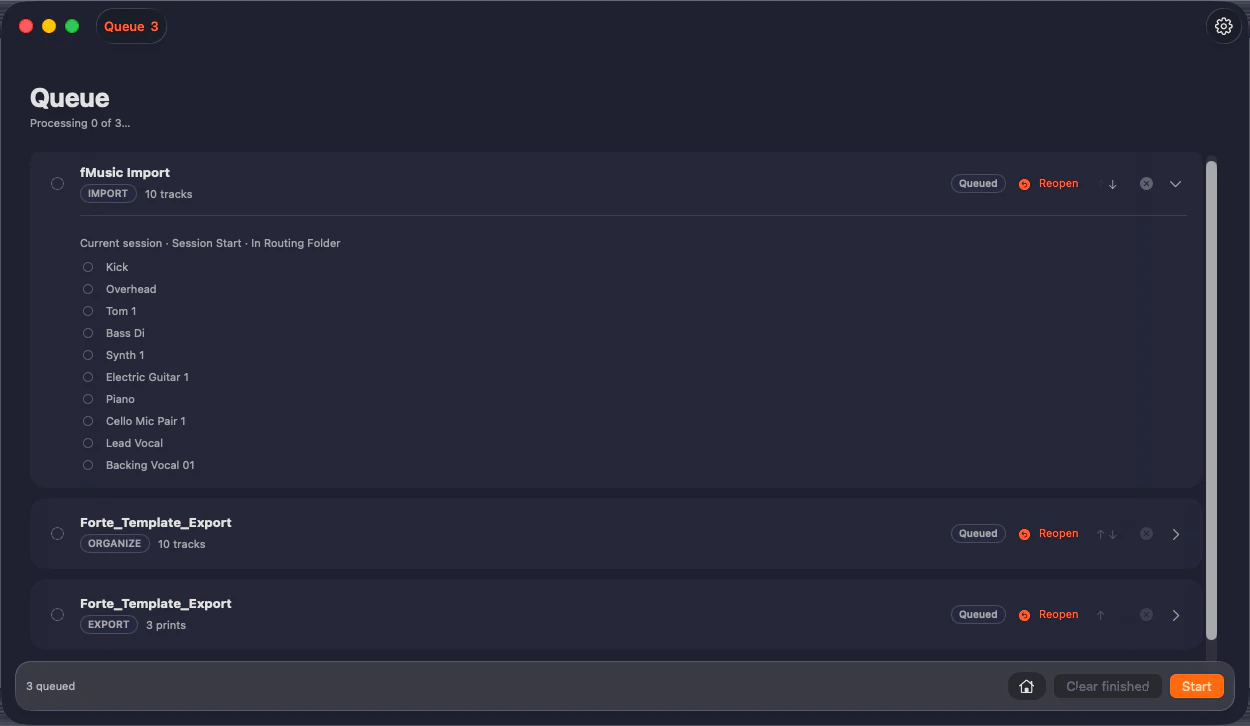
Multi-session batch
Queue the whole album.
Every module runs in batch: fMusic opens, processes and closes each session in turn, overnight included. No supervision needed.
The engineers already moved.
“Even with complex custom-coded automation, I still struggled in the studio. With Forte that burden is gone. Priceless.”
 Ricky DamianMix engineer · Mark Ronson, Lady Gaga, Jorja Smith
“Check for mono files as stereo, import them, move tracks around, color code, strip silence. Forte makes all of it quicker so you get to the good bit faster.”
 Cameron CraigMix engineer · Adele, Björk, Amy Winehouse
“I've tried every solution for bouncing stems, and so much about Forte just clicks. The mix prep system is exactly what I've wanted for years.”
 Robbie ArtressMix engineer · Teddy Swims, Maren Morris, Billy Strings
“Forte has changed everything for me when it comes to mix prep. I can't recommend it enough.”
 Emre RamazanogluProducer · David Bowie, Brian Eno, David Holmes
“Forte has become a daily part of my Pro Tools workflow. The import and batch stem export is a massive time saver.”
 Sean P. JonesMix engineer · Timbaland, J Balvin, Alessia Cara
“The prep that used to eat my mornings just happens now. I open the session and it is already done.”
 Oli JacobsMix engineer · Kendrick Lamar, Sabrina Carpenter, Harry Styles
Prep on the way in. Stems on the way out.
fMusic covers the whole path: mix prep on import, any PTX reorganized on Suite, stems and alternate mixes on delivery. Naming, routing and batch in between.
Stem Export
Every stem set and alternate mix printed to your naming and formats, unattended. Global shortcuts create prints from the tracks selected in Pro Tools, and the queue runs them on one session or the whole album. The work that used to eat your evenings just runs.
- Pro Tools 2024.3+
- macOS 13.5+
Mix Prep
Sessions cleaned, routed and named to your template before you start. Open and mix.
35k+
stems and bounces printed, last 12 months
Mix template integration
fMusic works with your mix template. Teach it your delivery once and every record after prints to match.
Runs unattended
fMusic drives Pro Tools on its own: queue the prints, step away, and the stems are waiting when you get back.
Reorganize any PTX to your standard.
Something no other tool does: fMusic Suite opens any existing Pro Tools session, recognizes every track by content, and reorganizes it to your standard: renamed, recolored, re-routed and reordered.
- Recognize
- Categorize
- Re-route
- Rename
- Reorder
- Merge
What fMusic actually does, all day.
25,000+
sessions imported and organized
35,000+
stem and bounce exports delivered
30,000+hrs
of manual prep handed back
190a day
imports and exports at the current rate
Measured in fMusic over the last 12 months, as of July 2026. Hours saved is an estimate: 30 minutes of manual work per import and per export.
Built for producers, engineers and studios
Mixing engineers, producers, studios and composers run fMusic where the deliverables pile up.

Mixing
Mixing engineers
Stems and alt mixes print to your template while you mix the next song.

Production
Music producers
Every version, every alt, every TV mix named and organized automatically. Send links, not apologies.

Studios
Recording studios
Two seats per license and one template for the whole facility.
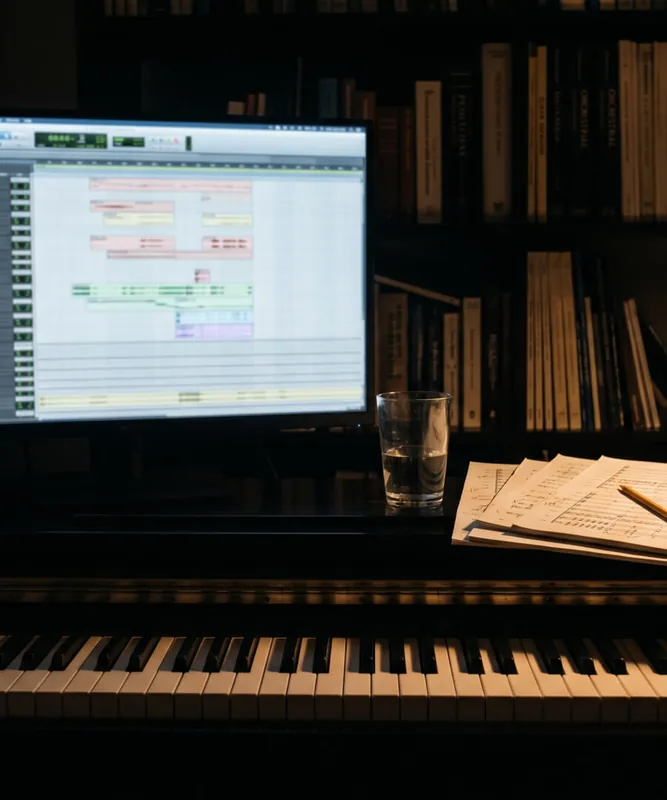
Scoring
Composers
Cue after cue, stems land structured the same way. Music editors stop asking and start importing.
Pricing
Pricing that pays for itself.
Free 7-day trial · no credit card needed
- Monthly
€18/month
fMusic Studio
- YearlySave 50%
€9/month
billed yearly as €108
- LifetimePay once
€499one-time
yours forever, every update included
In Studio and Suite
Studio
The complete fMusic workflow. Cancel any time.
- Built for Pro Tools (included)
- 2 seats (included)
- Import module: mix prep to your template (included)
- Export module: stems, prints and alt mixes (included)
- Multi-session batch processing (included)
- Free updates (included)
Suite only
Suite adds
Studio plus the professional modules.
- Organize module: any PTX reorganized to your setup (Suite only, not included)
- Match template and track preset modes (Suite only, not included)
- Audio normalization: target level, True Peak or RMS (Suite only, not included)
- Custom mix source, markers and formats per print (Suite only, not included)
- Stem categories from routing folders (Suite only, not included)
- Print preview with audition (Suite only, not included)
- Mixed queue: imports and exports in one batch (Suite only, not included)
- Full offline use, air-gapped (Suite only, not included)
Students and educators: apply for an educational deal
Changelog
Pro Tools 2025.10 colours and export refinements
4.0.5
Faster session reading and stereo handling
4.0.4
In-app notifications and plan experience
4.0.3
Stability fixes
4.0.2
From the blog
Gain Staging in fMusic: Every Import Lands at the Right Level
Mix Delivery Checklist: What to Send Music Clients After Every Song
Match Template and Track Presets: Every Session Lands in Your Setup
Delivery Day: Stems, Instrumental and Radio Edit in One Pass
Frequently asked questions
Have a question about fMusic? These are the ones we hear most. If yours is missing, get in touch.
What does fMusic do and how does it work?
fMusic automates Pro Tools prep and delivery. Import categorizes, names and routes audio to your template. Suite’s Organize reorganizes any existing PTX in place: renamed, recolored, rerouted and reordered. Export prints stems and deliverables through Pro Tools’ own bounce engine. Every run uses a queue, including overnight batches. fMusic for Logic Pro is a separate one-time purchase.
Does fMusic work with both Pro Tools and Logic Pro?
Yes, through two products. fMusic Studio and Suite automate stem export and mix prep in Pro Tools 2024.3 or later, through its native scripting layer, PTSL. Pro Tools must run with its interface in English. fMusic for Logic Pro is a separate one-time purchase for Logic Pro 11.1 or later: routing, naming, background bounces and batch export queues.
Can fMusic reorganize a Pro Tools session I already have?
Yes, with the Organize module on fMusic Suite. It opens any existing PTX, reads it track by track, recognizes what each track contains, and reorganizes it in place to your settings: renamed, recolored, re-routed and reordered, with stereo .L/.R pairs merged and removed tracks deleted. A PTX that arrives from another studio lands organized like your own work.
Can fMusic run my exports unattended?
Yes, unattended. fMusic drives Pro Tools’ own bounce engine through the whole batch, print after print and format after format, so you queue the exports and step away instead of clicking through one blocking bounce at a time. It prints each file to your routing, naming and width automatically.
Can fMusic batch-export multiple sessions unattended, overnight?
Yes. fMusic queues multiple sessions and processes them unattended, opening and closing each one with no manual restarts or dialogs to babysit, so you can leave a batch running overnight. On Suite, imports, organizes and exports share one queue, so a mixed batch runs in one pass.
Can I create a print without leaving Pro Tools?
Yes. fMusic registers global print shortcuts that work while Pro Tools is in front: one keystroke turns the tracks selected in Pro Tools into a print, soloed, muted or as one file per track, with the current timeline selection as its range. The print is waiting, already selected, the next time you open Export. You set the keys in Settings.
Can fMusic preview a print before bouncing it?
Yes, on fMusic Suite. Every print can be previewed and auditioned before it runs, so a wrong mix source or a muted track costs you a two-second check instead of a re-render of the whole batch.
Can fMusic export stems from buses, outputs or folder tracks?
Yes for buses, outputs and routing folders. Stem categories on fMusic Studio are built from a routing source, a bus or an output. Suite adds Folder mode: a category names one or more routing folders, soloed together and captured from the main output, so categories match sessions built on folders rather than buses. Any print can also solo a hand-picked set of tracks.
Does fMusic preserve mono and stereo width?
Yes. Every print declares its delivery width, mono or stereo, as one file or one file per track, so mono stays mono and stereo stays stereo, and you do not collapse width or pad mono files to dual-mono by hand. Width is set per print, once.
Does fMusic detect mono files delivered as stereo?
Yes. On import fMusic classifies the actual content of every stereo file as fake stereo (identical channels), hard-panned or true stereo, and folds it to mono by your per-case rules. Files delivered as separate .L and .R pairs are merged automatically, and every verdict stays visible so you can see what was decided and why.
Which file formats, bit depths and sample rates can fMusic export?
fMusic exports WAV and AIFF at 16, 24 or 32-bit, and MP3 at 128, 256 or 320 kbps. Sample rates range from 44.1 kHz up to 192 kHz (44.1, 48, 88.2, 96, 176.4 and 192). You choose the format and quality per delivery.
Will fMusic keep my reverb and delay tails on export?
fMusic uses Pro Tools’ own bounce functions and does not add or cut tails arbitrarily, so you configure your exports as usual. Each print carries its own range, set by timecode or bars and beats, or between two markers on Suite, so you can end the render after the last clip and tails print exactly as intended.
Can fMusic name and organize files to match my own convention?
Yes. On export, print names, base filename, suffix and casing follow your convention, into the destination folder you choose. On import, tracks are named from what they contain, in the casing style you set, and clips can take their track’s name. Batch exports come out correctly named and organized.
Does fMusic support surround or Dolby Atmos?
Not currently. fMusic exports mono and stereo deliverables; immersive formats such as Dolby Atmos and ADM BWF are not supported today. If you need immersive delivery, tell us with a feature request and we will weigh it for the roadmap.
Does fMusic apply loudness normalization or LUFS targets?
Not on export: fMusic prints your mix exactly as you set it and never targets streaming LUFS levels such as -14 LUFS, so your loudness decisions stay in your hands. On import, fMusic Suite includes audio normalization: an automatic level pass to the target level in dBFS you set once in Settings, measured by true peak or by RMS.
Does fMusic upload my audio, and how many machines can I use?
fMusic’s recognition and processing run entirely on your Mac, so your audio is never uploaded. Studio needs an internet connection while you work; Suite can also run fully offline, air-gapped rooms included. Every plan, Studio or Suite, subscription or Lifetime, includes 2 seats: two machines, such as a studio rig and a laptop.
Can I buy fMusic once instead of subscribing?
Yes. fMusic Lifetime is a one-time payment: EUR 499 for Studio or EUR 699 for Suite, with 2 seats and every update to your tier included, no subscription and no renewals. Pick the tier on the Lifetime card, here or in your user area. The 7-day free trial is the same, no credit card.
What are fMusic’s system requirements, and is there a free trial?
fMusic Studio and Suite require Pro Tools 2024.3 or later on macOS 13.5 or later, with a single installer for Apple Silicon and Intel; they drive Pro Tools through PTSL, with Pro Tools’ interface in English, and macOS asks once for the Accessibility permission at first launch. fMusic for Logic Pro runs on Logic Pro 11.1 or later on macOS 11 or later. Both offer a 7-day free trial with no credit card that starts at first sign-in and expires on its own.
Try fMusic now.
- Pro Tools 2024.3+macOS 13.5+